
How AI Is Quietly Transforming At-Home Care Management
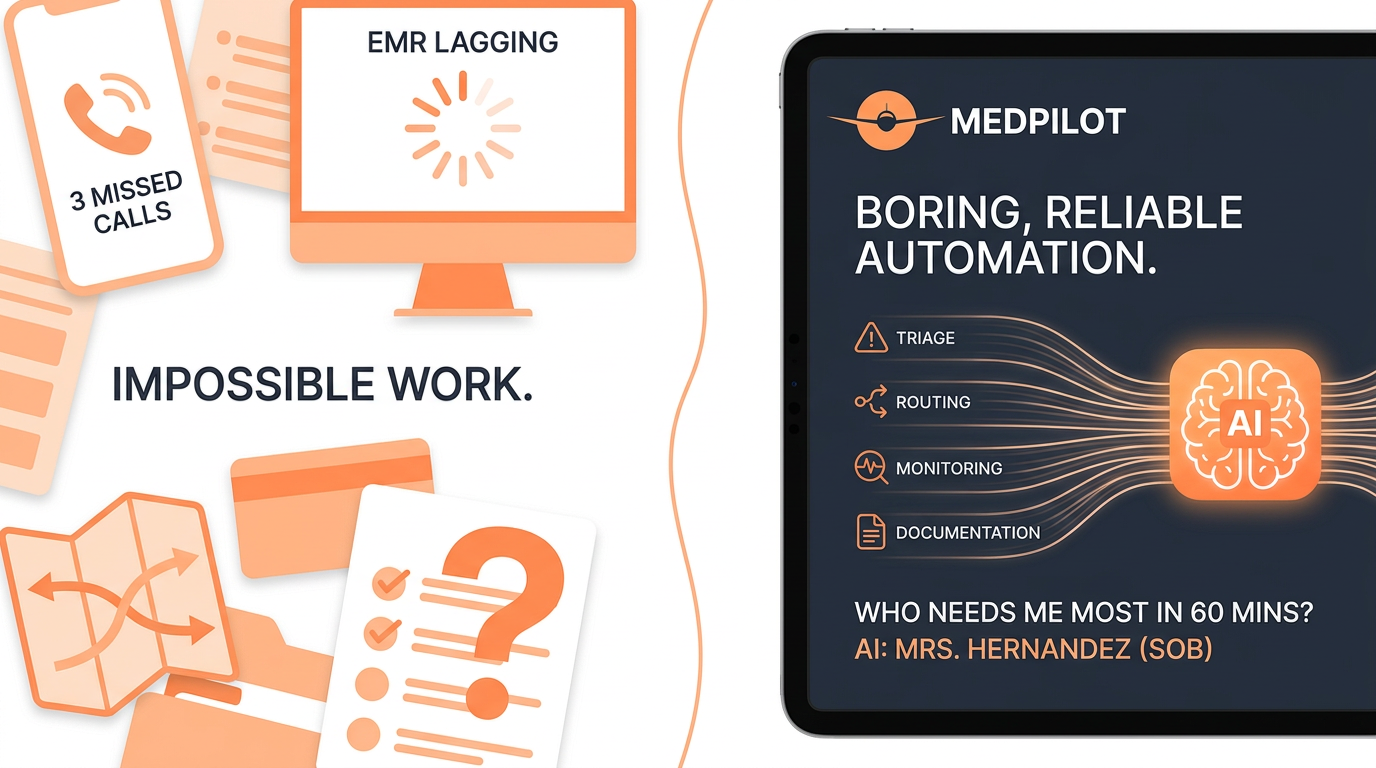
Your on-call nurse has three missed calls, the EMR is lagging, and you still don’t know which patient to prioritize first.
Mrs. Hernandez reports shortness of breath through your telehealth portal. Mr. Lee’s daughter just messaged about a new wound. A clinician is stuck across town because two visits were double-booked. You’re trying to make safe decisions with incomplete, scattered information while every minute feels like a risk.
You’re not doing bad work. You’re doing impossible work with tools that weren’t built for the volume, acuity, and expectations of at-home care.
That’s where AI is slipping into the background—not to replace nurses, therapists, or coordinators—but to quietly shoulder some of the cognitive load behind triage, routing, monitoring, and documentation.
This isn’t about sci‑fi robots in the living room. It’s about boring, reliable automation that answers questions like: “Who needs me most in the next 60 minutes?” and “What is safe to handle virtually at home?”
Why at-home care feels broken (and why AI fits it so well)
At-home care is uniquely messy compared to hospital care:
- You’re managing dozens or hundreds of scattered homes, not one facility.
- Patients have multiple chronic conditions, social challenges, and family dynamics.
- Data is fragmented across EMRs, scheduling tools, phone notes, and text messages.
- Staffing is tight, and every unplanned visit or readmission hurts margins.
The result is a constant set of painful tradeoffs:
- Who gets seen today and who gets pushed to tomorrow.
- When to escalate to the ED versus monitor at home.
- Which nurse drives across town for a single wound check.
- How long you let documentation pile up after hours.
AI fits this environment because it’s good at a few very specific things you struggle to do at scale:
- Scanning large amounts of data for risk signals.
- Prioritizing and sorting tasks.
- Turning messy, unstructured notes into structured information.
- Running the same decision rules every time—without fatigue.
Used properly, that doesn’t remove the clinician. It removes the noise around the clinician.
AI triage: from “first come, first served” to “risk first, always”
Triage is where most at-home care risk hides. Many agencies still work out of:
- Phone logs and voicemails.
- Shared inboxes.
- Unstructured notes like “Pt seems worse, pls call.”
The default ends up being “call people back in the order they came in” instead of “call the sickest first.” AI changes that order.
What AI triage actually looks like in practice
An AI‑supported triage workflow can:
- Ingest every incoming signal
- Patient portal symptom entries.
- SMS or WhatsApp messages.
- Call center notes or transcripts.
- Remote monitoring alerts (BP cuffs, glucometers, pulse oximeters).
- Extract clinical meaning automatically
Natural language models turn free text into structured data:
- “Breathing feels tighter when I walk to the bathroom” → dyspnea on exertion.
- “Gained 4 lbs since Friday, ankles huge” → rapid weight gain + edema.
- Apply standardized risk rules
- Cross-checks symptoms with vitals, meds, and diagnoses.
- Flags red-flag combinations (e.g., heart failure patient + 3–4 lb gain + SOB).
- Scores each contact as low, medium, or high urgency.
- Hand you a clean, prioritized worklist
Instead of an inbox of 42 unread messages, you see:
- 4 high-risk patients to call within 15 minutes.
- 11 moderate-risk contacts that need a same‑day tele-visit.
- 27 low-risk questions that can get a nurse message or health coach call.
What stays human
AI shouldn’t say, “Send this patient to the ED.” It should say:
- “This patient matches your escalation criteria for ED referral because of X, Y, Z.”
- “Here are the last three BP readings and medication adherence notes.”
You still decide. AI just puts the right chart—and the right context—on top of the pile at the right time.
Smarter scheduling and routing: the invisible optimization layer
Home health scheduling is usually a game of Tetris:
- Balancing visit frequency orders.
- Matching skill sets (wound, infusion, psych, pediatric).
- Managing drive times and traffic.
- Honoring patient and staff preferences where possible.
Most schedulers do this by experience and instinct, plus whatever the EMR calendar can handle. That works—until:
- Two high-acuity patients get booked back‑to‑back 30 miles apart.
- A nurse calls out, and you rebuild half a day by hand.
- You add virtual visits on top of physical ones and lose track of capacity.
What AI adds to scheduling without taking control away
AI scheduling engines can work behind the scenes to support your existing team:
- Travel time minimization
The system understands geography and traffic patterns. It can:
- Cluster nearby visits.
- Avoid back‑and‑forth driving.
- Suggest optimal order for visits in a given region.
- Skill and acuity matching
AI looks at the patient’s current risk level, not just visit frequency:
- High‑risk heart failure patient → pair with experienced RN.
- Stable wound follow‑up → LPN or virtual check‑in where appropriate.
- Dynamic reshuffling when plans change
When a clinician calls out or a new urgent visit appears, AI can:
- Instantly recompute a feasible schedule.
- Suggest who can absorb an extra visit with least disruption.
- Highlight where overtime or missed visits are likely without adjustments.
Schedulers remain in charge:
- They can accept, modify, or reject AI suggestions.
- They see why the AI suggests a change (distance, skills, risk score).
- They keep their local knowledge (e.g., “This patient only trusts Maria.”) and override when needed.
The difference is that they stop doing manual math in their heads all day. They focus on edge cases and relationship nuances, not baseline logistics.
Remote monitoring plus AI: from raw data to real decisions
You may already have some at-home monitoring in place:
- Bluetooth blood pressure cuffs.
- Scales for CHF patients.
- Pulse oximeters and glucometers.
- Occasional video check‑ins.
The challenge isn’t collecting data. It’s acting on it.
Human teams cannot watch:
- 200 BP streams in real time.
- 150 patients’ weight trends.
- Every single oxygen sat dip during the day.
So alerts get set to very conservative thresholds, and you either get:
- Too many alarms (alert fatigue), or
- So few alerts that you miss subtle deterioration.
How AI changes remote monitoring from noisy to actionable
AI algorithms can consume streaming data and see patterns over time in a way that fits clinical thinking:
- Trend detection instead of one-off numbers
- Sees three days of gradual weight gain, not just the “today” value.
- Notices blood pressure creeping upward over a week.
- Patient-specific baselines
AI learns that:
- Mr. Jones lives at 90–92% SpO₂ baseline and is stable there.
- Mrs. Patel’s usual systolic is 100–110. 130 is a bigger deal for her than someone whose baseline is 140.
- Composite risk signals
It can combine:
- Vitals + symptoms reported by text or app.
- Medication adherence data.
- Past visit findings.
What your team sees is not a screaming alert feed. They see a risk dashboard like:
- 8 patients trending higher risk—review today.
- 22 patients stable—no contact needed.
- 3 urgent flag patients—call in the next 30 minutes.
And for each patient, AI can pre‑draft a recommended next step for your review:
- “Call patient for symptom assessment using CHF checklist.”
- “Convert next scheduled in‑home visit to virtual if no red flags.”
- “Escalate to MD review if symptoms match X criteria.”
Again, nothing replaces your judgment. AI just ensures the right patterns are caught while there’s still time to act at home.
Documentation and care plans: AI as your clinical scribe
Ask any field clinician what they dread after a full day of home visits. You’ll hear the same answer: documentation.
- Finishing notes at 9:30 pm.
- Copy‑pasting the same education blocks and goal language.
- Hunting through old notes for the last wound size or functional status.
It’s not that charting isn’t important. It’s that much of it is repetitive structure around a handful of clinically nuanced sentences.
AI shines here because documentation is mostly language and structure—exactly what modern models are built to handle.
Typical AI‑supported documentation workflows
- Voice capture during or right after visit The clinician speaks naturally: “Visited patient at home, daughter present. CHF, COPD, type 2 diabetes. Patient reports increased SOB climbing stairs, orthopnea x3 nights, no chest pain. Weight up 3 lbs from last visit. Lungs with bibasilar crackles, mild LE edema. Reinforced low‑sodium diet and daily weights. Plan: monitor, consider diuretic adjustment if weight up another 2 lbs.”
- AI turns it into structured documentation
Within seconds, the system drafts:
- Subjective, Objective, Assessment, Plan (SOAP).
- Updated problem list.
- Interventions and education codes.
- Progress toward existing care goals.
- Clinician reviews and edits
You stay in control:
- Correct nuance (“mild” vs “moderate” distress).
- Add any missing safety concerns.
- Approve and sign.
Smarter care plan management
For care plans, AI can:
- Suggest appropriate goals and interventions based on diagnoses.
- Check for inconsistencies (e.g., goals that don’t align with functional status).
- Surface old but relevant details (“Wound size decreased from 3 cm to 1.5 cm over 4 weeks”).
The result is less after‑hours charting, more consistent documentation quality, and clearer, more up‑to‑date care plans that every team member can trust.
Keeping the human touch: where AI must never take over
Clinicians worry—rightly—that AI might push care toward:
- Scripted, robotic conversations.
- Checklists over listening.
- Throughput over trust and dignity.
The safest, most sustainable AI implementations in at-home care put very clear guardrails around what AI will never do:
- It doesn’t deliver bad news or serious diagnoses.
- It doesn’t replace skilled assessments or physical exams.
- It doesn’t make final decisions about hospital transfer or high‑risk medication changes.
Instead, it quietly supports the parts of your work that patients never see but feel the impact of:
- You’re less rushed and more present in the home because you’re not mentally triaging your inbox.
- You show up consistently, on time, because routes are realistic.
- You catch deteriorations earlier, so families experience fewer panicked ED trips.
- You remember details from previous visits because the record actually helps you.
Keeping the human touch isn’t about ignoring AI. It’s about using AI to remove the bureaucracy that erodes human connection.
Practical steps to add AI into at-home workflows safely
If you’re responsible for a home health or home‑based care program, you probably hear “AI” in every sales pitch. Very little of it is concrete.
Here’s a pragmatic way to move forward without overwhelming your team.
1. Pick one pain point, not five
Start narrow. Good first candidates:
- After‑hours triage prioritization.
- Remote monitoring risk scoring for a specific disease (e.g., CHF bundle).
- Visit documentation drafting.
Ask: If AI made this one thing 50% easier, would clinicians feel it next month?
2. Design the workflow around the clinician
Before you talk about models or algorithms, define:
- What screen the nurse will actually see.
- What decision they still own.
- How long it should take to complete that task.
If AI adds clicks or forces clinicians to fight the tool, adoption dies quickly.
3. Demand explainability for clinical decisions
For any AI that touches prioritization or risk:
- Avoid black boxes. Require plain‑language explanations like, “Flagged because weight increased 4 lbs in 3 days and patient has CHF.”
- Make it easy to view the underlying data (vitals, messages, meds) in one place.
Clinicians won’t trust what they can’t interrogate.
4. Pilot with a small, motivated group
Choose:
- A few clinicians who are open to technology.
- A manageable patient panel (e.g., 50–100 patients).
Measure before and after for simple indicators:
- Time to respond to high‑risk alerts.
- After‑hours documentation time.
- Number of avoidable ED visits in the pilot cohort.
5. Train for why, not just how
Training shouldn’t only be button clicks. It should explain:
- What problems the AI is solving.
- Where its limits are.
- How feedback from clinicians will tune the system over time.
When people understand the “why,” they’re more forgiving about early hiccups and more generous with actionable feedback.
What “good” AI‑driven at-home care looks like day to day
The end state isn’t flashy. It looks almost boring—which is a sign it’s working.
A day in the life, a year or two into implementation, might look like this:
- Morning huddle: Team sees a dashboard of today’s highest‑risk patients, pre‑sorted and summarized.
- Route planning: Schedulers accept suggested visit routes that cut 45 minutes of drive time without sacrificing acuity coverage.
- Field visits: Nurses dictate visit notes; AI drafts charts; edits are minor instead of full rewrites.
- Remote monitoring: A nurse spends 30 focused minutes a day reviewing AI‑ranked alerts instead of ignoring a sea of false positives.
- Evening work: Documentation is light. Clinicians finish on time more often. Leadership reviews weekly trends instead of digging for basic answers.
Nothing about this removes the human from the home. It makes the human visit count for more—because everything around it runs with less friction.
At-home care is only going to get more complex: higher acuity discharges, more chronic disease, more family expectations. AI isn’t a silver bullet, but used thoughtfully, it’s one of the few tools that can bend both workload and outcomes in your favor.
The shift won’t be an overnight revolution. It will feel like a steady lightening of the load—a thousand tiny, quiet improvements to how you triage, schedule, monitor, and document the care that happens at home.
Leave a Reply
Want to join the discussion?Feel free to contribute!